10 Account Safety Practices Passwords, OTPs and Devices

You get a call. The person says they are from your bank. They know your name, your city, and the last four digits of your card. They just need your OTP to verify your account. Thousands of people in India fall for exactly this every month. According to the Ministry of Home Affairs 2023-24 report, financial cyber fraud in India rose by 113% in 2023 compared to the year before.
Protecting your accounts is not about being a tech expert. It is about knowing a few practices and making them a habit. Here are ten that actually work.
1. Never Share Your OTP With Anyone
This is the single most repeated advice from the Reserve Bank of India in its official consumer advisories, and for good reason. Banks, UPI apps, government portals, and telecom companies never call you to ask for an OTP. An OTP is a one-time code meant only for your eyes. The moment you read it out to someone, your account is exposed.
If someone calls claiming to be from HDFC, SBI, or any UPI platform and asks for your OTP, hang up. Then call the bank’s official number yourself.
2. Use a Different Password for Every Account
Most people use one password everywhere. It feels convenient until one website gets hacked and every account you own is suddenly at risk. This is called a credential stuffing attack, where stolen login details from one breach are tried on other sites automatically.
Pick a unique password for each account. You don’t need to memorise them all. A password manager like Bitwarden or Google Password Manager stores them safely.
3. Make Your Passwords Hard to Guess
A strong password is at least 12 characters long and mixes letters both cases, numbers, and symbols. Avoid using your name, your mobile number, your date of birth, or anything a stranger could find on your social media.
A trick that works well: take a sentence you can remember, like My first bike was a Hero Honda in 2005, and use the first letter of each word: MfbwaHHi2005. That becomes a strong, memorable password.
4. Turn On Two-Factor Authentication 2FA
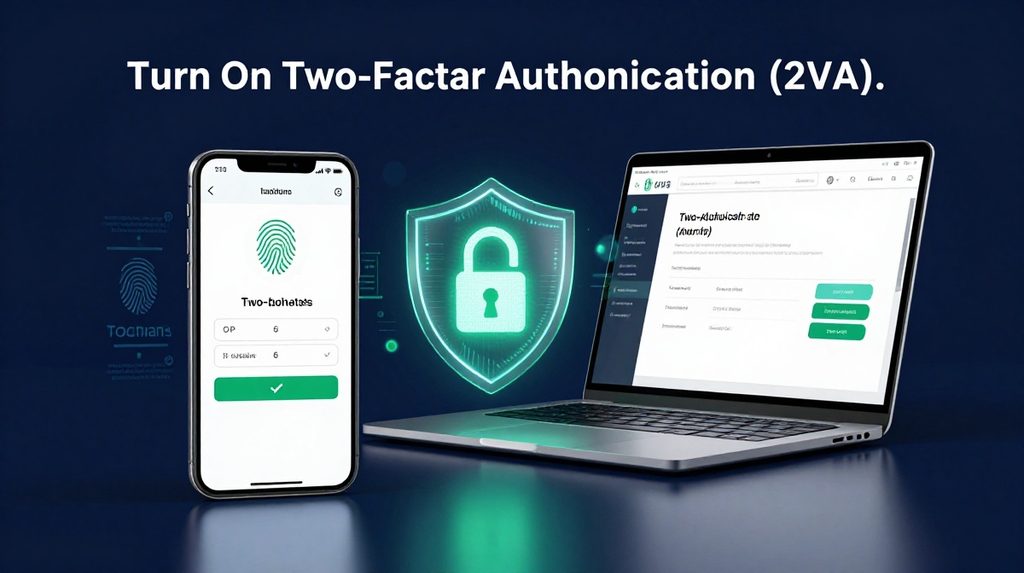
Two-factor authentication means that even if someone knows your password, they still cannot log in without a second verification step, usually an OTP or an authenticator app code. Most major Indian apps including Gmail, Instagram, Paytm, and internet banking support this.
Go to the security settings of each app and turn it on. Prefer an authenticator app like Google Authenticator over SMS-based OTPs where possible, since SIM swap fraud where your number is cloned is a real and growing threat in India.
5. Watch Out for Phishing Links
Phishing means tricking you into clicking a fake link that looks like a real website. You might get a WhatsApp message saying your lottery365 account is expiring, or a fake SBI login page asking you to enter your credentials. Indian users receive thousands of such messages daily.
Before clicking any link, check the URL carefully. Official websites end in .gov.in for government sites, or the exact brand domain. If you use platforms like lotus365 cricket for online gaming, always type the address directly into your browser rather than following links sent over chat.
6. Lock Your Phone and Set a Strong Screen PIN
Your phone is the gateway to your UPI, banking apps, and email. If someone picks it up unlocked, they can reset passwords and drain accounts in minutes. Set a PIN with at least 6 digits, or use a fingerprint lock.
Avoid PINs like 123456, 000000, or your birth year. These are the first guesses anyone makes.
7. Log Out From Shared or Public Devices
Logging into your email or bank account from a cyber cafe or a friend’s device and forgetting to log out is a common mistake. That session can stay active for hours, giving someone else access to everything.
Always log out properly after using a shared device. If you forgot, most apps like Gmail let you remotely sign out from all devices through account settings.
8. Keep Your Apps and Phone Software Updated
Software updates often include patches for security holes that hackers already know about and are actively using. Delaying updates for weeks keeps those doors open. This applies to your phone’s operating system as well as individual apps.
Set your phone to update apps automatically, or check for updates every week. This is one of the simplest protections that most people ignore.
9. Be Careful With App Permissions
Many apps ask for access to your contacts, SMS, camera, and location. Some misuse this. An SMS-reading permission on a fake app can silently steal OTPs from your messages. When installing any new app, check what permissions it asks for and question whether they make sense for what the app does.
A torch app does not need access to your contacts. A gaming app does not need to read your SMS. Deny any permission that seems out of place. On gaming platforms like lotus365 red, always download the official app from the platform’s verified link rather than third-party APK files.
10. Review Account Activity Regularly

Most apps let you see recent login activity, active sessions, and connected devices. Make it a habit to check this once a month. If you see a login from a city you’ve never visited or a device you don’t recognise, change your password immediately and log out all other sessions.
Your Gmail account, UPI apps, and social media all have this feature. It takes two minutes and can save you from a breach that has already quietly started.
A Simple Comparison of Common Security Methods
| Method | What It Protects | Strength Level | Works Offline |
|---|---|---|---|
| Strong password | Account login | Medium | Yes |
| SMS-based OTP | Login and transactions | Medium | No |
| Authenticator app OTP | Login and transactions | High | Yes |
| Biometric fingerprint/face | Device access | High | Yes |
| Password manager | All passwords | High | Depends on app |